
One market-research estimate, from Verified Market Reports, puts the browser fingerprinting protection market at roughly $2.9 billion in 2026, projecting a compound annual growth rate near 13.87% through 2033 - treat that as a single third-party estimate rather than a settled figure
- a scale that reflects how central fingerprint control has become to running more than one online account without the accounts getting linked. Platforms like Meta and Google now lean on AI systems that correlate device signals, not just IP addresses, to detect related accounts, which is exactly the gap an antidetect browser is built to close. The TrafficSigma team breaks down what an antidetect browser actually does, how it differs from (and pairs with) a proxy, and how the leading tools compare, so you can decide whether - and how - to add one to your stack.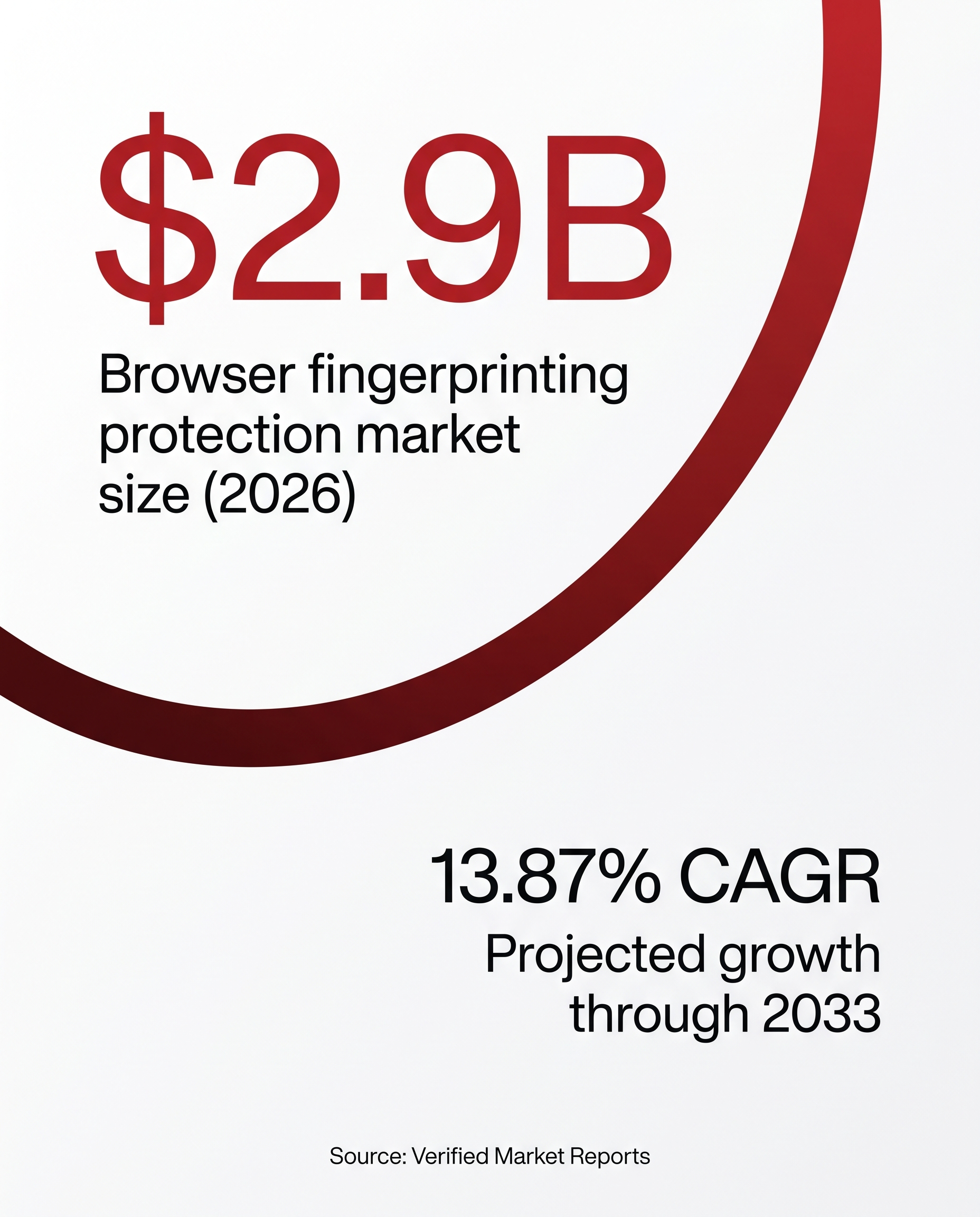
The framework: how account-linking detection actually works
Platforms stack three independent detection layers to decide whether accounts are related:
- IP/network-layer detection - the oldest signal. Ten accounts logging in from the same IP (or the same narrow VPN exit-node range) is enough to trigger a linked-account review on most major ad platforms.
- Device/browser-fingerprint detection - harder to spoof. A stock browser leaks dozens of consistent signals - canvas rendering hash, WebGL renderer string, installed fonts, screen resolution, timezone, audio-context output - stable enough to re-identify one machine across sessions even behind different IPs. Canvas and WebGL signals contribute strongly to a device's uniqueness when combined with other parameters like fonts, timezone, and audio-context output, rather than in isolation.
- Behavioral/reputational detection - the layer platforms have leaned into hardest since 2024-2026: mouse movement, typing cadence, session timing, and network-infrastructure reputation. Meta and Google's largely AI-driven moderation now correlates these signals over time and can flag multiple accounts at once when linking confidence crosses an internal threshold.
An antidetect browser is purpose-built for the second layer - it never touches your IP, it controls what your browser tells websites about your device.
What is an antidetect browser?
An antidetect browser is a specialized browser (or browser-management platform) that creates multiple isolated "profiles," each with its own customized or randomized fingerprint - user-agent, screen resolution, timezone, language, canvas/WebGL/audio-context output, font list, and dozens of other parameters a standard Chrome or Firefox install reports identically across every tab you open. Each profile looks like a genuinely distinct device to the site on the other end, instead of one machine looking consistent no matter how many accounts you log into.
A stock browser is fingerprint-transparent by design - built to render pages correctly, not to protect an operator running 20 ad accounts from one laptop. An antidetect browser inverts that: it isolates cookies, storage, and cache per profile, then layers a controlled or synthetic fingerprint on top, so profile #1 and profile #14 share no traceable device signal despite running on the same hardware.
Tools use either fingerprint masking (spoofing individual parameters to plausible-but-fake values) or real device fingerprints (drawn from a database of genuine hardware/browser combinations, which tends to pass detection more reliably). Cloud platforms increasingly favor the latter, since an internally inconsistent fingerprint - a fake GPU string paired with a resolution that GPU never shipped with - is itself a detection flag.
Who actually uses antidetect browsers - and why
This is a mainstream operational tool in performance marketing, and legitimate use makes up the majority of real-world usage:
- Agencies managing multiple client ad accounts. An agency running Meta, Google, or TikTok accounts for a dozen clients needs each isolated - mixing client fingerprints on one machine risks a platform treating unrelated clients as one bad actor if any single account gets flagged.
- Affiliates running compliant multi-offer tests. Testing the same vertical across multiple approved accounts (A/B creative, landing pages, GEOs) is standard media-buying practice - isolation keeps results and standing on one account from cross-contaminating another.
- Avoiding false-positive linked-account flags. Platforms increasingly correlate fingerprints across accounts even when each is used for a fully legitimate, separate purpose - a media buyer managing a personal account plus client accounts from one laptop can get all reviewed together purely on fingerprint overlap. Isolation prevents that false positive.
- E-commerce sellers running multiple storefronts and social media managers handling several brand profiles round out the common categories, for the same reason: genuinely separate accounts on a platform that can't tell legitimate multi-account work from ban evasion.
None of this is about fabricating traffic or circumventing terms of service - legitimate use means accurately representing that separate accounts are, in fact, separate.
Get iGaming traffic from TrafficSigma now!
Antidetect browser vs. proxy: what each one actually controls
This is the direct companion question to our guide, What Is a Proxy? A Practical Guide for Affiliate Marketers - read that piece for the full proxy breakdown; here's the short version of how the two relate.
A proxy changes what IP address and location a request appears to come from, routing traffic through an intermediary server - useful for GEO-testing campaigns or not routing every account through one identifiable office/home IP.
An antidetect browser changes what your browser reports about the device itself, independent of the IP the request travels through. Two profiles routed through the exact same proxy can still look like two completely different computers, because fingerprint and network are separate detection surfaces.
That's why most real-world setups use both together: a proxy without a distinct fingerprint still leaves accounts fingerprint-linkable even from different IPs; a distinct fingerprint without a proxy still leaves accounts IP-linkable even with different-looking "devices." Pairing a dedicated proxy with a dedicated fingerprint per profile closes both gaps at once - which is why every major antidetect browser either bundles proxy support or integrates with third-party proxy providers rather than treating fingerprinting as complete on its own.
| Proxy | Antidetect Browser | |
|---|---|---|
| Controls | IP address / network origin | Browser & device fingerprint |
| Typical unit | Per connection / per profile | Per browser profile |
| Solves | Same-IP account linking | Same-device fingerprint linking |
| Used alone, misses | Fingerprint overlap across accounts | IP overlap across accounts |
| Best practice | Pair with a distinct fingerprint | Pair with a distinct proxy per profile |
Antidetect browser vs. multi-accounting browser: same category, different framing
"Multi-accounting browser" and "antidetect browser" describe the same tool category from two angles: "antidetect" emphasizes the fingerprint-masking mechanism, "multi-accounting" emphasizes the outcome - running several accounts without them being tied together. Every tool marketed as a multi-accounting browser is built on antidetect fingerprinting technology, so expect the same core feature set either way: isolated profiles, per-profile fingerprint control, and usually bundled or integrated proxy support.
Comparing well-known antidetect browser tools
There's no single best antidetect browser for every situation - the right pick depends on how many profiles you run, whether you want proxies bundled in, and how much automation you need. What follows is a side-by-side look at five established, actively maintained tools built specifically for affiliate marketing and multi-account ad management, each with a genuine free or trial tier for testing before committing. Pricing and profile limits change often in this category, so treat the figures below as a snapshot rather than a locked-in quote - always confirm current pricing on the vendor's site before buying.
Multilogin
Multilogin is one of the longest-running antidetect browsers, built around two custom engines - Mimic (Chromium-based) and Stealthfox (Firefox-based) - that fine-tune fingerprint parameters deeper than tools patching a stock Chromium build. Its 2026 permanent free plan (no credit card required) includes 5 cloud browser/mobile profiles and 200 MB of premium proxy traffic; paid plans start around $7-9/month annualized and scale up through higher-profile-count tiers - confirm current ceiling pricing on Multilogin's site, since it changes with plan structure. It bundles residential proxy traffic and real cloud-phone profiles directly into its plans.
Highlights:
- Type/Category: Dual custom-engine antidetect browser (desktop + cloud)
- Entry pricing: Free tier (5 profiles); paid from roughly $7-9/month annualized
- Fingerprint depth: Masks fingerprint parameters across multiple categories (canvas, WebGL, audio, fonts, and more) across two browser engines
- Best for: Teams wanting bundled proxies and cloud mobile profiles in one tool
GoLogin
GoLogin targets large-scale profile management: paid plans run from roughly $24/month (Professional) up to roughly $49-99/month (Business, more profiles and users), plus a free-forever tier capped at 3 profiles with a 7-day full-feature trial. It modifies dozens of fingerprint parameters and includes built-in free and paid proxies.
Highlights:
- Type/Category: Cloud-based antidetect browser
- Entry pricing: Free tier (3 profiles); paid from ~$24/month
- Fingerprint depth: Dozens of masked parameters
- Best for: Solo operators and small teams scaling from a handful of profiles into the hundreds
AdsPower
AdsPower runs a dual-engine architecture (SunBrowser and FlowerBrowser) with 50+ configurable fingerprint parameters, including canvas, WebGL, WebRTC, and audio-context controls. Its free plan permanently includes 2 profiles; paid plans start at roughly $5.4/month for 10 profiles, with annual billing about 20% cheaper than monthly. It ships a no-code RPA automation tool and multi-window synchronizer, and holds SOC 2 Type II certification.
Highlights:
- Type/Category: Dual-engine antidetect browser with built-in RPA automation
- Entry pricing: Free tier (2 profiles); paid from ~$5.4/month
- Fingerprint depth: 50+ configurable parameters
- Best for: Budget-conscious teams that also want no-code bulk automation
Dolphin{anty}
Dolphin{anty} was originally built for affiliate marketing and traffic-arbitrage use cases, shown in the Dolphin Store - a built-in marketplace for buying residential or mobile proxy traffic and attaching it to a profile without leaving the app. Its free tier includes 5 profiles, Free+ adds more for around $10/month, and paid plans scale from roughly $89/month to $159+/month for ~300-profile team plans, with up to 40% off annually. Its Synchronizer feature mirrors actions from one master profile across many profiles at once.
Highlights:
- Type/Category: Affiliate-marketing-focused antidetect browser
- Entry pricing: Free tier (5 profiles); paid from ~$10/month (Free+)
- Fingerprint depth: Full canvas/WebGL/font/timezone masking suite
- Best for: Affiliates wanting an integrated proxy marketplace and profile-synchronizing automation
Incogniton
Incogniton targets affiliate marketing, social media management, and e-commerce multi-accounting with a straightforward tiered structure: Starter Plus at $13.99/month, Entrepreneur at $20.99/month, Professional at $55.99/month, and Custom from $104.99+/month scaling to higher profile counts. It runs on Windows and Mac.
Highlights:
- Type/Category: Tiered antidetect browser for growing teams
- Entry pricing: Starter Plus at $13.99/month
- Fingerprint depth: Full customizable-fingerprint profile suite
- Best for: Teams that want a predictable, clearly-tiered path to higher profile counts
Comparison table
| Tool | Type/Category | Entry Pricing | Fingerprint Depth | Best For |
|---|---|---|---|---|
| Multilogin | Dual-engine (desktop + cloud) | Free (5 profiles); paid from ~$7-9/mo | Multiple masked parameter categories | Bundled proxies + cloud mobile profiles |
| GoLogin | Cloud-based | Free (3 profiles); paid from ~$24/mo | Dozens of parameters | Scaling from a few profiles into the hundreds |
| AdsPower | Dual-engine + RPA | Free (2 profiles); paid from ~$5.4/mo | 50+ parameters | Budget teams wanting bulk automation |
| Dolphin{anty} | Affiliate-marketing-focused | Free (5 profiles); paid from ~$10/mo | Full canvas/WebGL/font suite | Integrated proxy marketplace + profile sync |
| Incogniton | Tiered growth plans | Free trial; paid from $13.99/mo | Full customizable suite | Predictable tiered scaling to higher profile counts |
Start scaling your campaigns with TrafficSigma
Proxy alone, antidetect browser alone, or both: what your setup needs
Three scenarios cover almost every real setup: running 2-3 accounts casually (a proxy alone may be enough given the low fingerprint-overlap risk at that scale - still worth a free fingerprint test to confirm); running a genuine multi-account operation like an agency with multiple clients (pair a dedicated proxy with a dedicated fingerprint per profile - the setup every vendor above is built around, and the only approach that closes both detection gaps at once); and running high-volume automation across dozens or hundreds of profiles (prioritize RPA support like AdsPower's or Dolphin{anty}'s Synchronizer, since manually operating that many profiles isn't practical).
The responsible-use line is the same one that applies to proxies: use fingerprint and IP management to accurately run separate, legitimate accounts - never to fabricate traffic, impersonate users, or violate a platform's terms of service. An antidetect browser changes what a platform can see about your device; it doesn't change what you're allowed to do with the accounts behind it.
Choosing well comes down to three factors, in order: how many genuinely separate accounts you're actually running, whether IP or fingerprint overlap is your real exposure, and how much automation you need past a handful of profiles. Get those right and the vendor choice above becomes a budget-and-workflow decision, not a guessing game.
The bigger picture: fingerprint control is one part of a compliant traffic stack
Fingerprint and IP management solve the account-isolation half of running compliant multi-account campaigns - the other half is the traffic itself. TrafficSigma's self-serve network gives media buyers and agencies granular GEO, device, OS, and carrier targeting across 248+ GEOs, with 3-level fraud protection built into every campaign, so the traffic your isolated, properly-configured accounts are running is itself clean and platform-safe from the source.