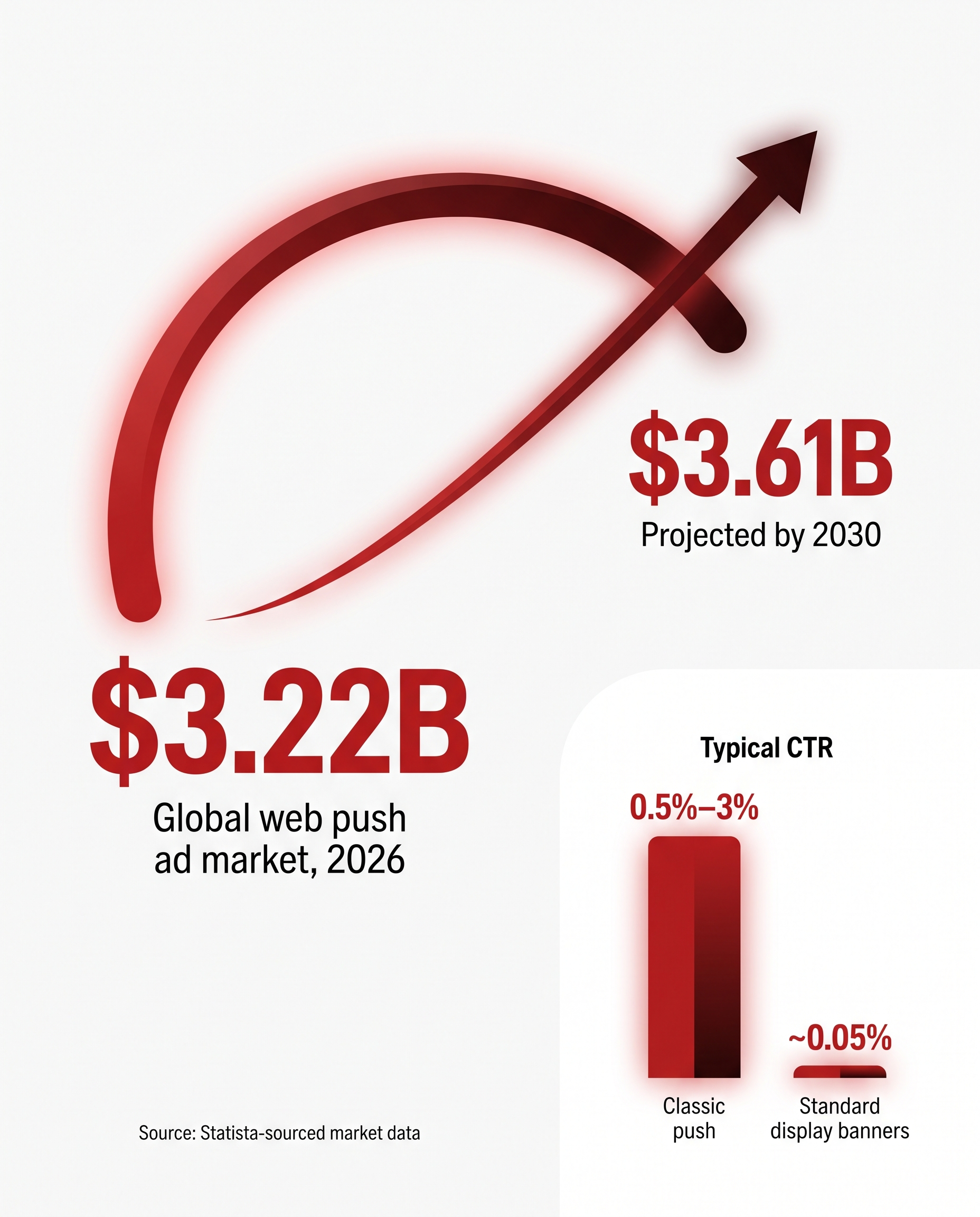
RollerAds, a push ad network, published its own 2026 market analysis estimating the global web push advertising market at roughly $3.22 billion in 2026, climbing to $3.61 billion by 2030 - a figure worth noting as a competing network's own estimate rather than independent third-party research
- and that figure doesn't even count the in-page and calendar variants competing for the same ad budgets. Push ads meaning, in practice, has splintered into at least three genuinely different formats that get lumped under one label, and mixing them up is the fastest way to buy the wrong traffic for your offer. The TrafficSigma team maintains this page as the definition-and-decision hub for the entire push category: what push ads are, the types of push ads you'll actually encounter, and how push ads vs in page push vs calendar push shake out on permissions, cost, and vertical fit.What is push ads? Push ads are notification-style advertisements - a small icon, a short headline, and a line of body text - delivered to a user's device or browser as if they were a native system alert, rather than embedded in a webpage as a traditional banner. That single definition now covers three structurally distinct delivery mechanisms, which is exactly why "push ads" search intent keeps splitting into narrower questions. This page answers the umbrella question and then routes you to a dedicated deep-dive on whichever sub-format you're actually buying or running.
The 3 push ad sub-types, at a glance
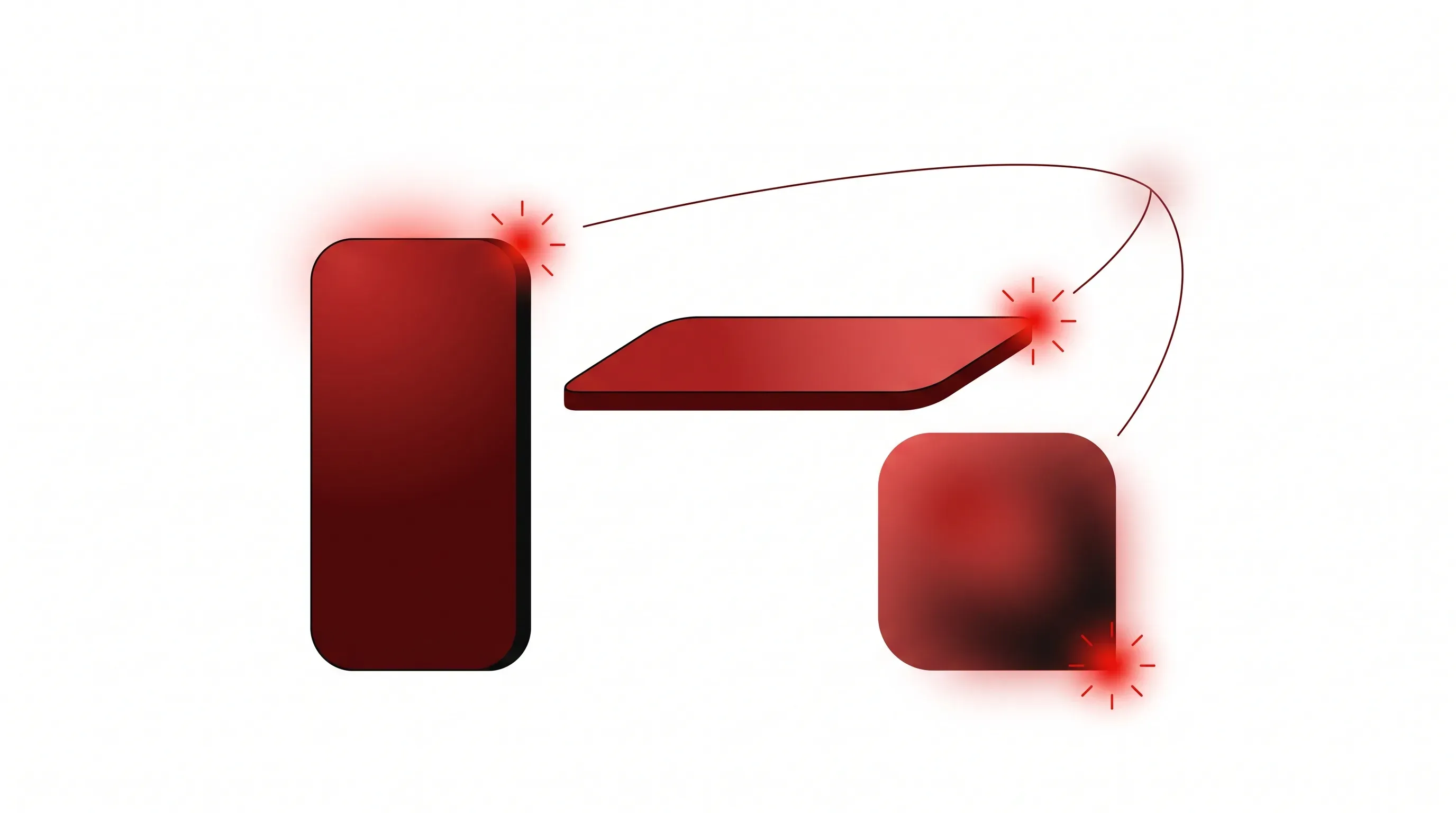
There's no single "push ads" product to evaluate - there are three delivery models that happen to share a notification-style creative format. Everything else about them (how a user opts in, where they run, how long they last, what they cost) is genuinely different, which is why treating them as interchangeable is the single biggest mistake new media buyers make with this traffic type:
- Classic push notifications (also called OS push or web push): a subscription-based alert delivered to a device's native notification tray - the original push format, and the one most people mean by default when they say "push ads."
- In-page push: a banner styled to look like a push notification but rendered inside a publisher's webpage instead of the OS notification tray - built specifically to route around the opt-in step classic push requires.
- Calendar push: an ad delivered as a scheduled event inside a user's calendar app (most commonly iOS Calendar), reached via a one-time calendar-subscription opt-in rather than a per-notification permission prompt.
All three get bought and sold as "push traffic," all three price primarily on CPC or CPM, and all three lean on the same psychological hook - a notification-shaped creative earns more attention than a static banner. Where they diverge is permission mechanics, persistence, typical performance, and which verticals they suit - which is what the framework below breaks down before you commit budget to any one of them.
Launch push campaigns from $0.005 CPC with TrafficSigma!How classic push, in-page push, and calendar push actually differ
The three formats split along four practical axes: whether the user has to grant an OS-level permission, whether the ad can reach the user outside an active browsing session, what CTR/CPM range to expect, and which verticals each format fits best.
Permission model is the foundational difference. Classic push requires an explicit one-time browser or app permission grant ("Allow notifications?") before a user ever receives a message - this is also the format Chrome has restricted, since Chrome automatically blocks and can revoke notification permissions from sites it identifies as sending intrusive or misleading notifications. In-page push needs no OS permission at all - the ad is just page content, so it sidesteps Chrome's notification-permission crackdown entirely. Calendar push uses a middle-ground model: a one-time calendar-subscription opt-in (typically via an email or webpage prompt), after which ads land as events without any further per-message consent.
Persistence and reach flow directly from that permission model. Classic push notifications reach a subscriber's device tray even when they're not on any website - the defining advantage of the format, and why classic push still posts the strongest raw CTR of the three, commonly cited in the 0.5%–3% range, well under 1% for standard display banners. In-page push only fires while a user is actively on a participating publisher's page, capping its reach to live sessions but compensating with strong on-page engagement and comparatively easy CPC-based buying. Calendar push sits between the two: once subscribed, a user keeps receiving calendar-event ads independent of active browsing, giving it reach closer to classic push while running on infrastructure (the device calendar app) that isn't subject to browser notification-permission rules at all.
Cost and platform coverage are where format choice becomes a budget decision. Classic push is Android- and desktop-browser-heavy, since Apple's Safari and iOS have historically restricted web push support far more than Chrome has. In-page push runs on any device with a browser - desktop or mobile, iOS included - which is precisely why buyers turn to it when a campaign needs iOS reach that classic push can't deliver. Calendar push is overwhelmingly an iOS-native play, built to reach the Apple audience that classic web push structurally can't touch, subscribed through the native Calendar app rather than a browser.
Vertical fit follows from those reach patterns. Classic push's low CPC floor and Android/desktop concentration make it a workhorse for iGaming, sweepstakes, and Nutra offers chasing volume at scale. In-page push's page-embedded, no-permission format suits verticals where a clean, bannerless first impression matters - dating, finance/forex, and software/utility offers that need to look credible on the click-through. Calendar push's iOS skew makes it the format of choice specifically when an offer's audience or GEO mix leans Apple-heavy - certain finance, subscription, and app-install campaigns where reaching iOS users at all is the point.
| Factor | Classic push | In-page push | Calendar push |
|---|---|---|---|
| Permission required? | Yes - explicit OS/browser opt-in | No - rendered as page content | Yes - one-time calendar subscription |
| Works without an open browser session? | Yes | No - session-bound | Yes |
| Primary platform strength | Android, desktop browsers | Any browser, incl. iOS | iOS (Calendar app) |
| Typical CTR range | 0.5%–3% | Generally higher than classic push on-page | Comparable to classic push once subscribed |
| Common pricing model | CPC / CPM | CPC (most common), also CPM/CPA | CPC / CPM |
| Best-fit verticals | iGaming, sweepstakes, Nutra | Dating, finance/forex, software/utilities | iOS-skewed finance, subscriptions, app installs |
| Chrome/Safari permission-crackdown exposure | High - direct target of Chrome's notification-permission blocking/revocation | None - no notification permission involved | Low - outside the browser-notification framework entirely |
Read the practical implication straight off that table: if Chrome's abusive-notification enforcement or Apple's browser restrictions are already cutting into your subscriber base or GEO mix, in-page push and calendar push are the two formats built to route around exactly that friction - not because they're "better" in the abstract, but because they don't depend on the permission surface being restricted.
Classic push notifications - go deeper
Classic push is the original format and still the biggest volume driver in the category, but its full mechanics - subscriber acquisition, OS-level anatomy of a push creative, and how CPC floors move by GEO - deserve their own explanation rather than a repeat here. For the complete breakdown of how a push notification ad is actually structured (icon, title, body, CTA, URL) and OS/browser-specific limits, see our companion guide, What Is a Push Notification Ad? Format and Anatomy Explained. If you want the fastest possible definition without the full anatomy walkthrough, our quick-reference What Is Push Traffic? A Quick Definition for Affiliates covers the term itself in under four minutes.
In-page push - go deeper
In-page push's entire value proposition is built around skipping the permission prompt classic push requires, which changes both how you buy it and how it performs across session-bound traffic. Rather than re-explain the format's mechanics and use cases here, see our dedicated guide: What Is In-Page Push? The Ad Format That Skips the Permission Prompt.
Calendar push - the format without its own guide yet
Calendar push is the newest and smallest-volume of the three formats in most affiliate media-buying stacks, and it doesn't yet have its own dedicated deep-dive in this library - treat the mechanics above (subscription-based, iOS-native, event-style creative) as the current baseline, and expect a standalone guide as calendar push volume scales.
Get iGaming traffic from TrafficSigma now!
Next step: sourcing traffic for your chosen format
Knowing the types of push ads is only half the decision - the other half is sourcing traffic that doesn't waste your test budget on stale subscriber lists or bot-heavy inventory. Our buying-side companion guide, Where to Buy Push Traffic: A Practical Buying Checklist for 2026, walks through what to check before you pay, GEO/CPC benchmarks, and the red flags that separate real sellers from junk. If you want a ranked comparison of specific sources rather than a buying checklist, see 9 Best Push Notification Ad Networks for Affiliates in 2026, which compares 9 networks on CPC, subscriber quality, and fraud filtering.
TrafficSigma runs all three formats - classic push, in-page push, and calendar push - from one dashboard with granular GEO, device, OS, and carrier targeting, so switching between formats to route around a Chrome permission restriction or chase iOS reach doesn't mean switching platforms.
The format matters more than the category
"Push ads" isn't one product, so picking well means matching permission model, platform reach, and vertical fit to your specific offer - not just picking whichever format is loudest in your feed. Classic push still wins on raw CPC and Android/desktop scale, in-page push wins wherever iOS reach or a permission-free first impression matters, and calendar push wins specifically when your audience is iOS-heavy and nothing else can reach them.
Once you've matched a format to your offer, the next step is running it on infrastructure that doesn't force a platform switch every time your GEO mix or vertical changes. TrafficSigma serves classic push, in-page push, and calendar push side by side from one self-serve dashboard, with the same GEO, device, OS, and carrier targeting controls across all three - so testing a format shift costs you a campaign, not a new vendor relationship.